





.svg)
.svg)



Content Templates
Salesforce Lightning Customization Template
A Salesforce Lightning customization template covering calendar, chatter, and display settings so reps can tailor their workspace.
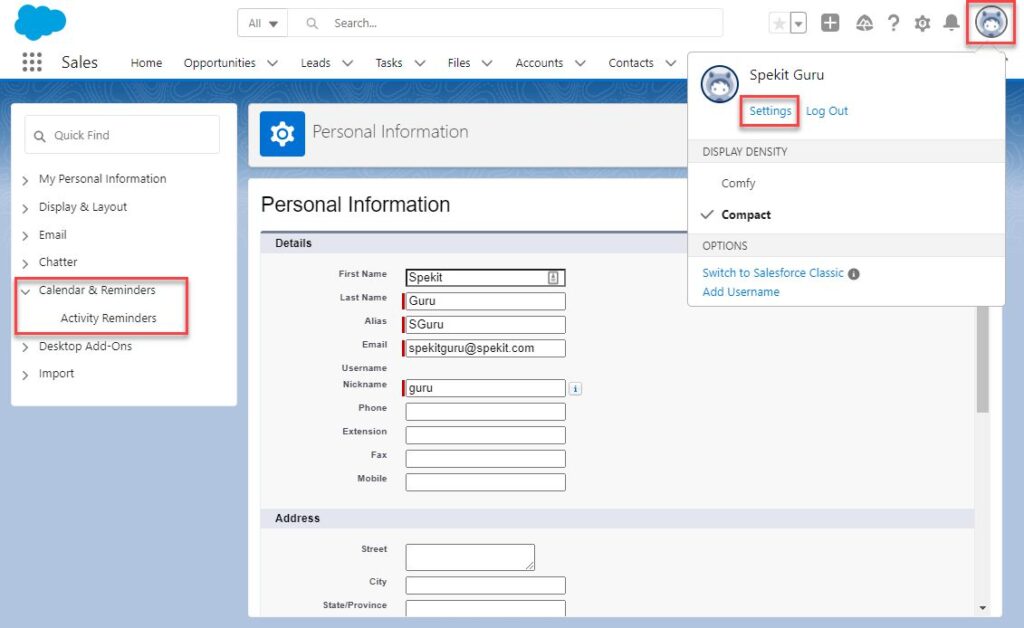
To control your calendar and reminder settings:
1. Click View Profile.
2. Click Settings.
3. Click Calendar & Reminders.
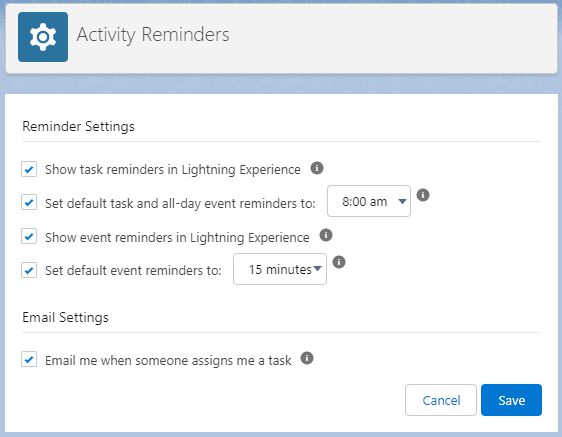
Configure where and when you receive notifications for activities.
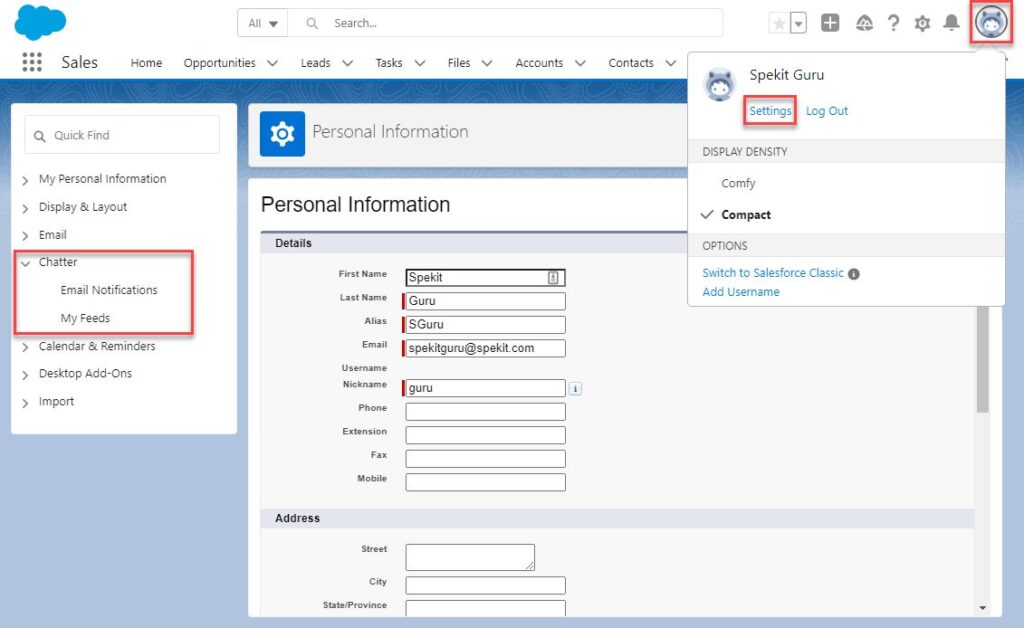
1. Click View Profile.
2. Click Settings.
3. Click Chatter.
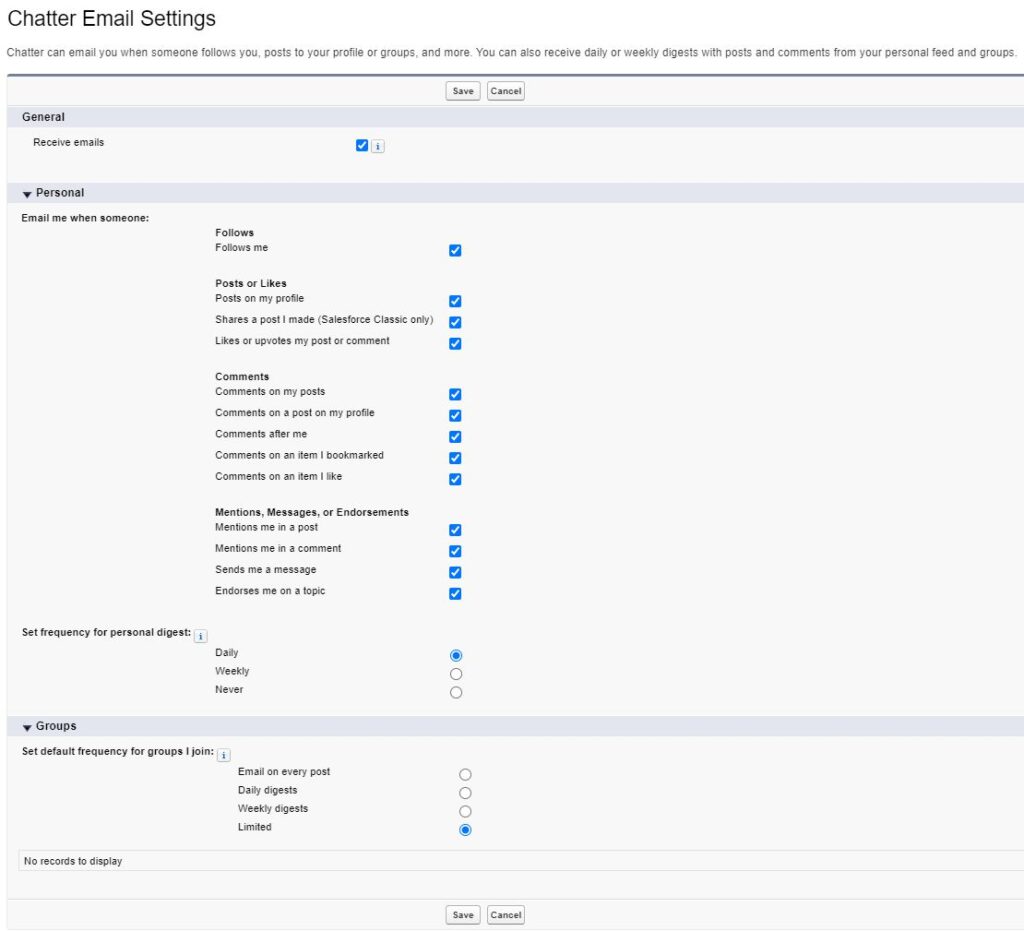
Configure what actions in Chatter trigger an email notification.
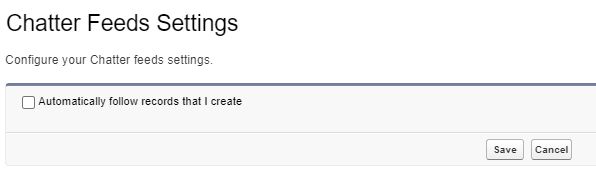
Choose to automatically follow records that you create.
To customize your display and layout settings:
1. Click View Profile.
2. Click Settings.
3. Click Display & Layout.
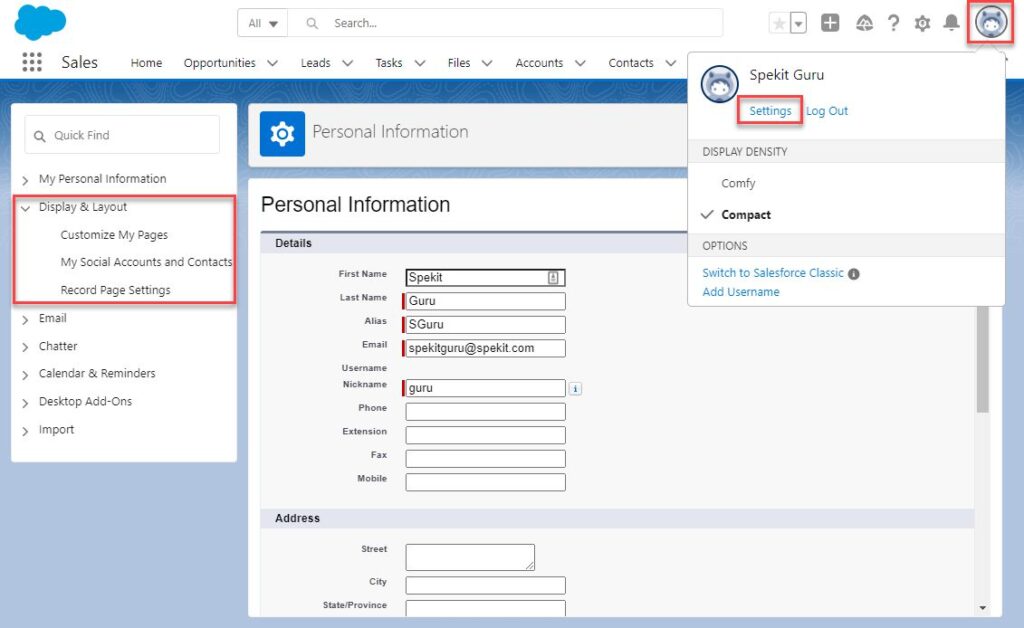
View/Edit the Related Lists available for certain Objects.
Enable Twitter to be synced to Accounts, Contacts, and Leads.
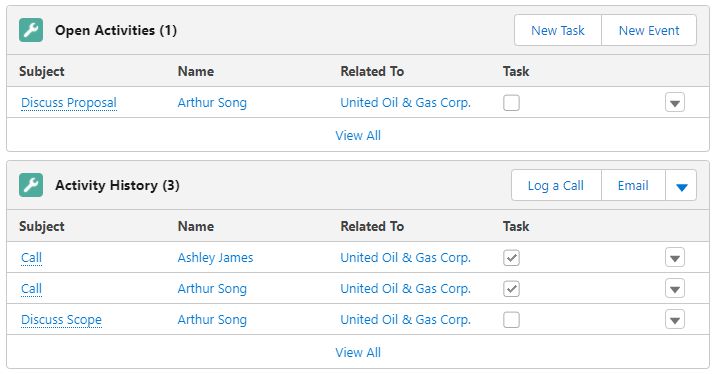
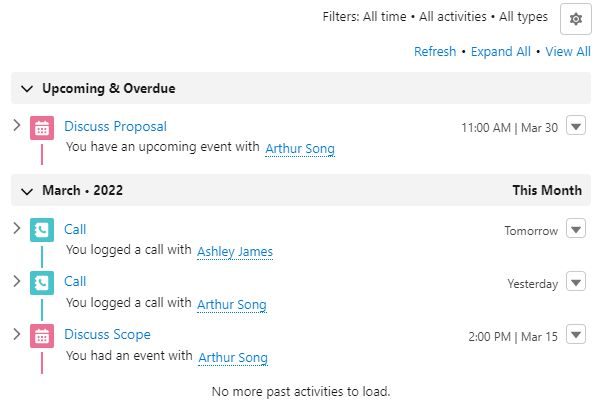
Choose to display Open Activity/Next Steps and Activity History/Past Activity in a certain format.
1. Related Lists
2. Activity Timeline
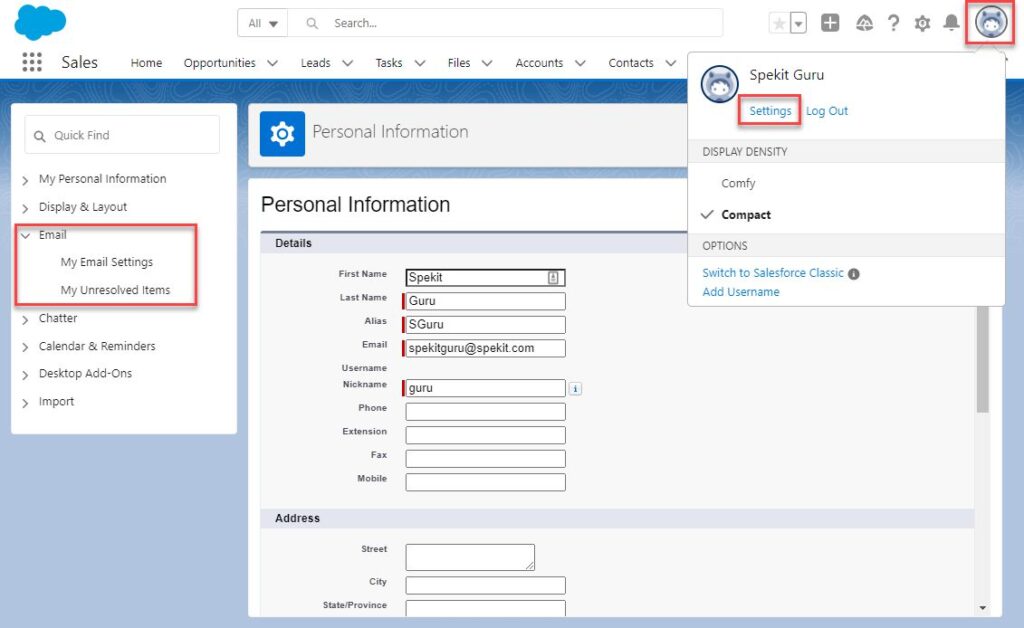
To manage email settings:
1. Click View Profile.
2. Click Settings.
3. Click Email.
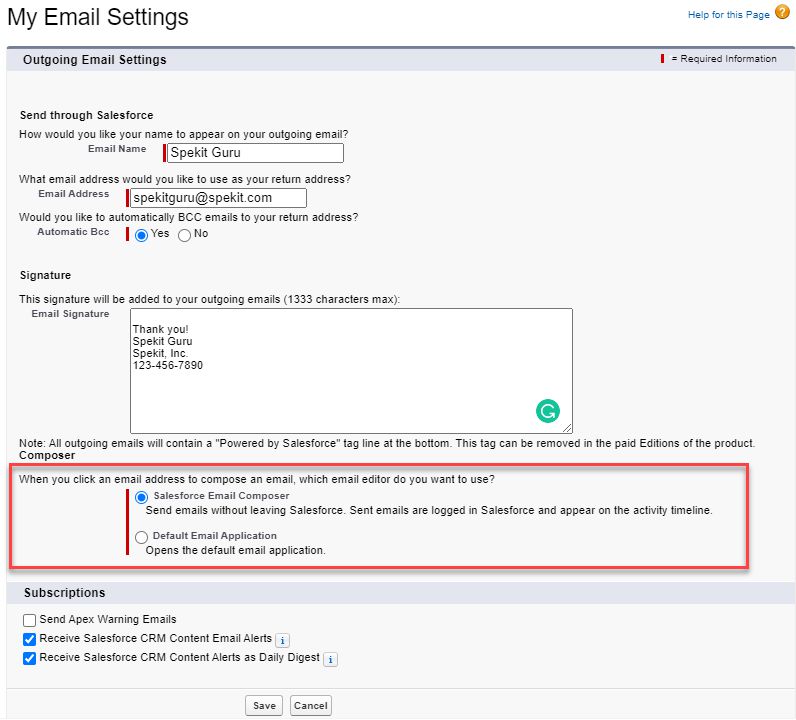
My Email Settings
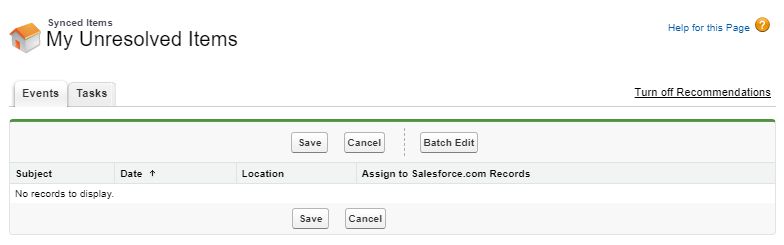
When synced Contacts, Tasks, or Events are not matched to a parent record, they appear in your Unresolved Items to be able to be matched to the correct record(s).
1. Click View Profile.
2. Click Settings.
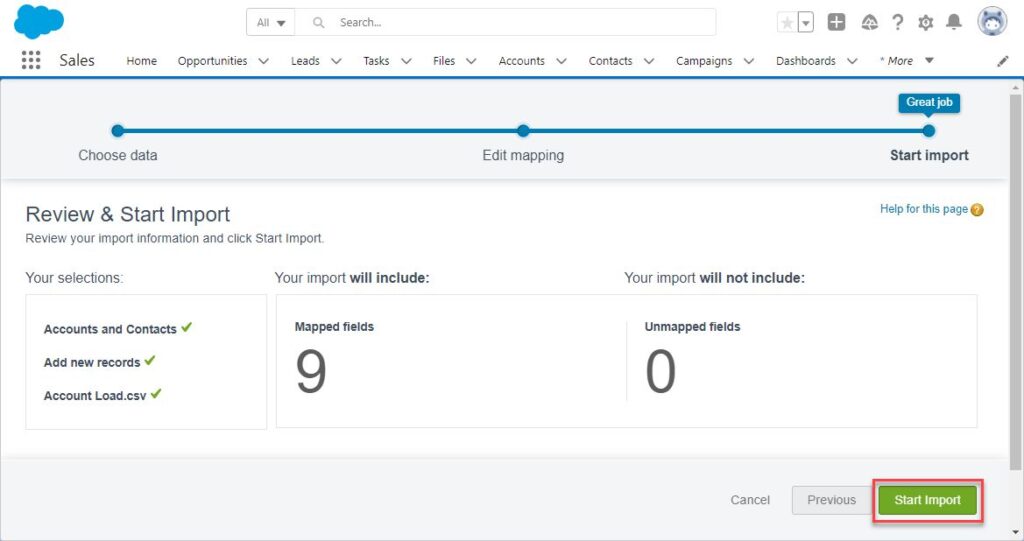
3. Click Import.
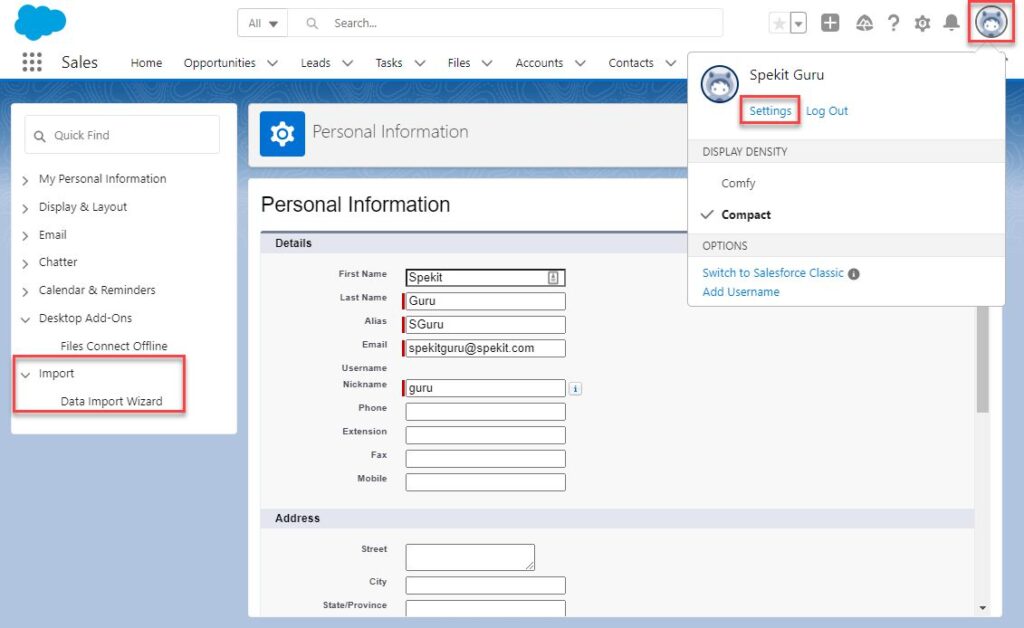
Insert, Update, or Upsert (a combination of Insert and Update) many records at once.
1. Click Launch Wizard!
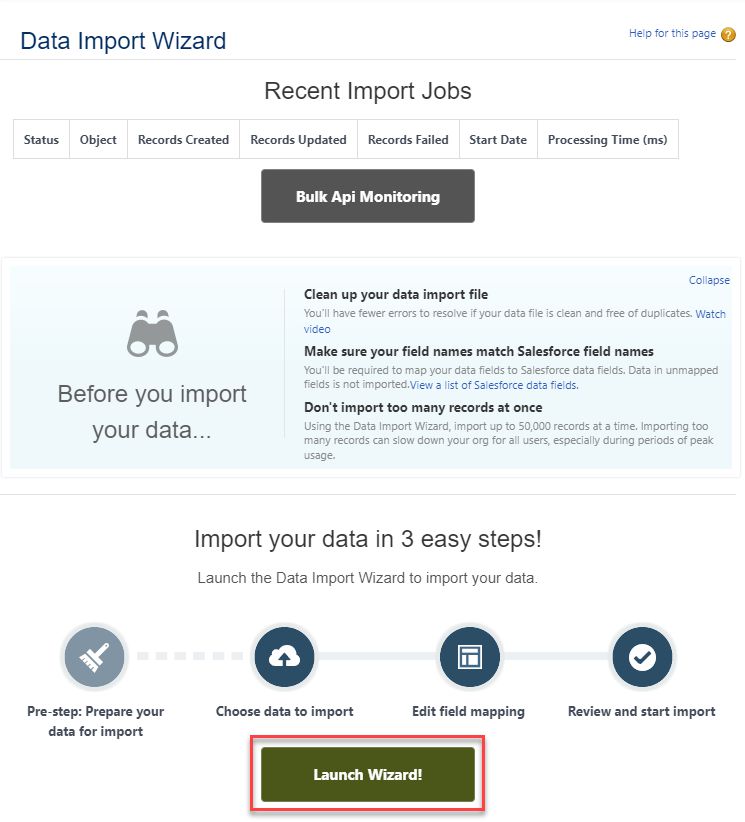
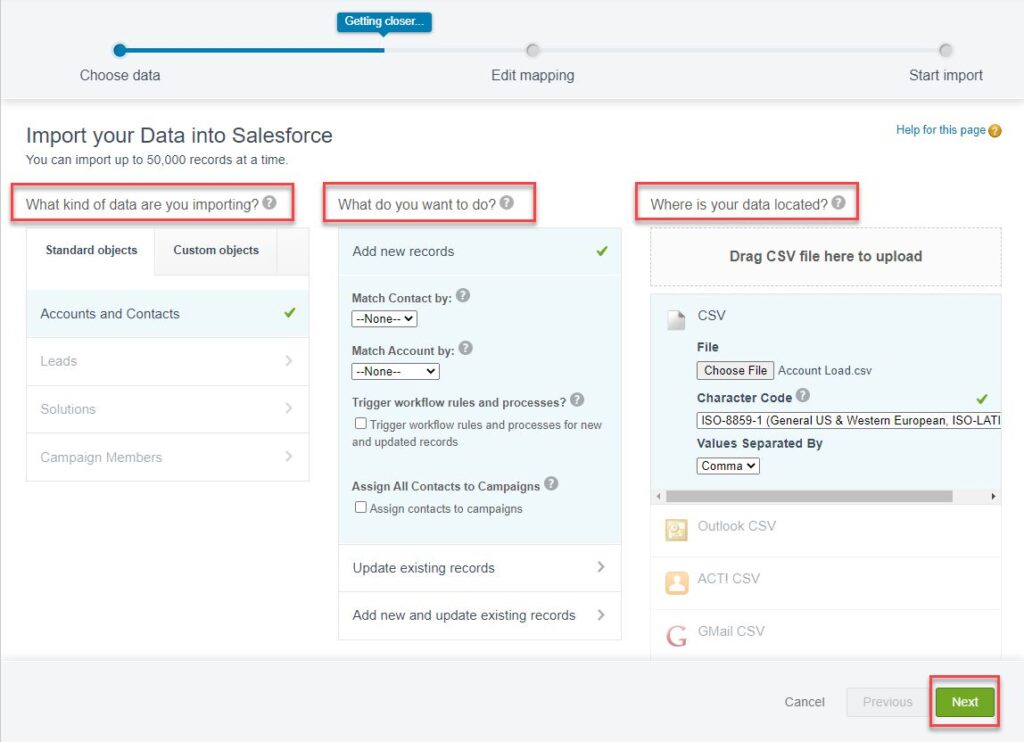
2. Configure the following and click Next.
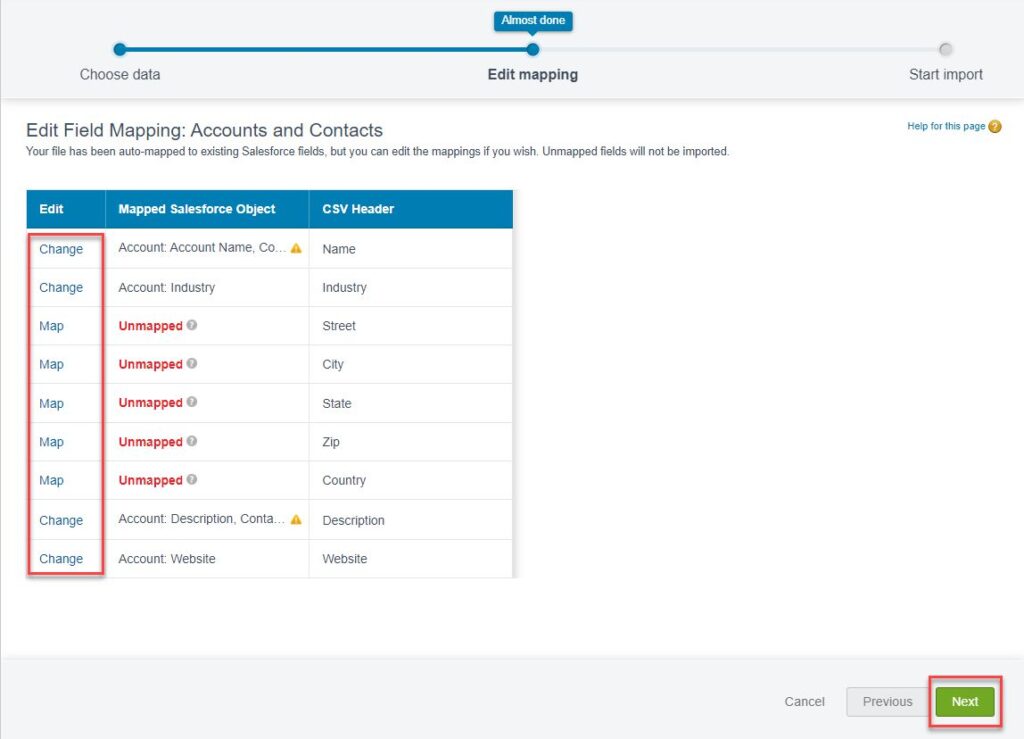
3. Map the CSV columns to Salesforce fields. Click Next.
4. Click Start Import.
Navigate to your Language & Time Zone Settings to change how certain fields and data points are displayed to you.
1. Click the View Profile Icon.
2. Click Settings.
3. Click My Personal Information > Language & Time Zone.
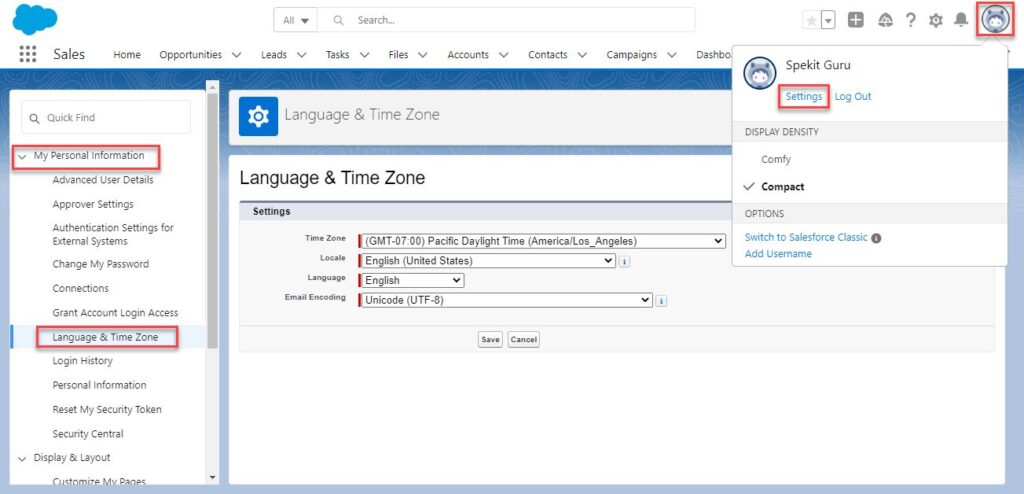
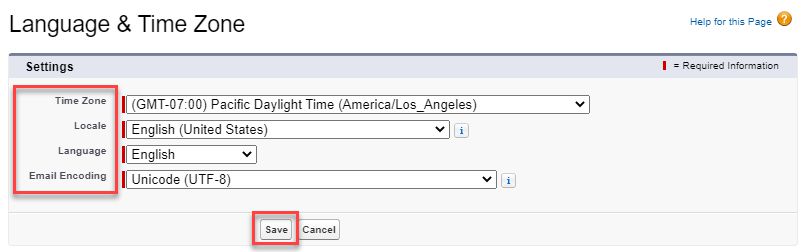
4. Time Zone
5. Locale
6. Language
7. Currency
8. Email Encoding
9. Click Save.
1. Click View Profile.
2. Click Settings.
3. Click My Personal Information.
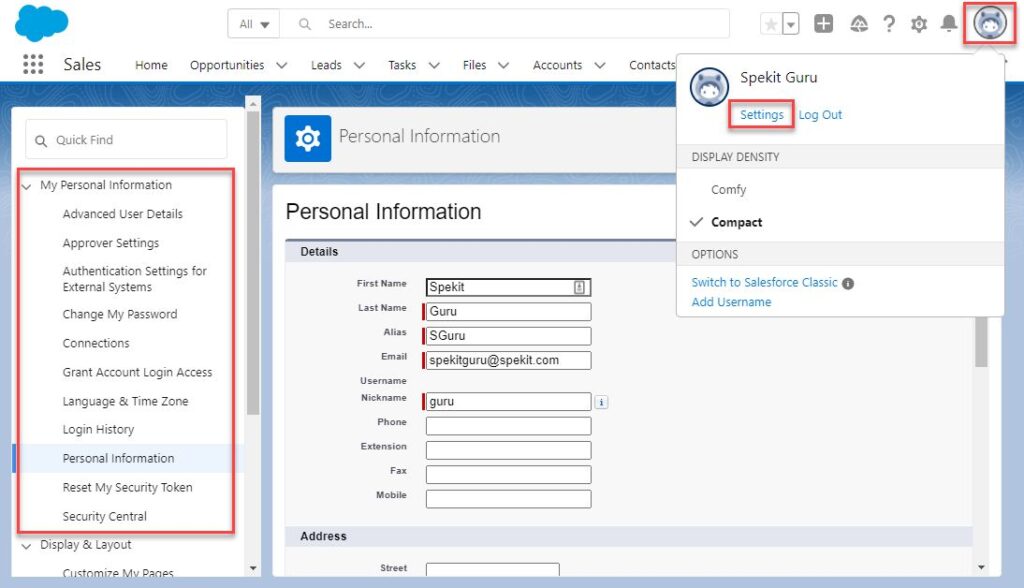
View/Edit your User record.
View/Edit your Delegated Approver and Manager.
Update the settings to connected external systems.
Change your password and set/edit your Security Question.
Lists the sites that you have authenticated with through Salesforce via OAuth and Third-Party.
Allow a Salesforce Admin or Third-Party Support Agent to log in to your profile for a certain amount of time.
Search 🔍 for "Language & Time Zone Settings" to learn more.
Your login dates/times and the details around them.
View/Edit your Name, contact information, and working hours.
A long, case-sensitive code that is tied to your password and provides another layer of security when accessing certain tools. Resets when your password resets.
View account activity and connected apps.
🐙 Manage Teams & Users
🐙 Control Invites and Invite Statuses
🐙 Admin Tools (csv export + custom metadata control)
🐙 Connect to Salesforce, Slack, and more!